01 / Enterprise product
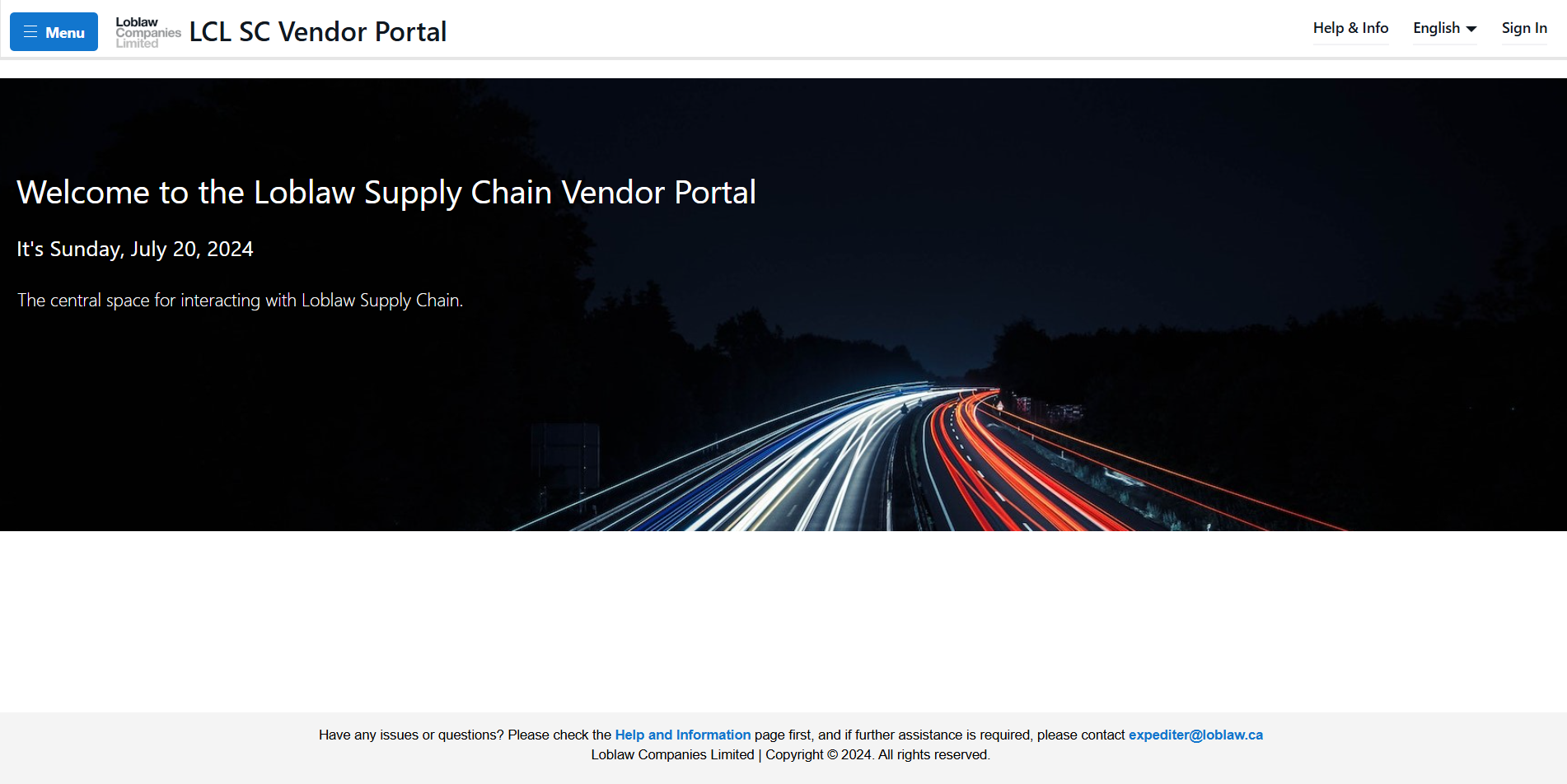
Loblaw Supply Chain Vendor Portal.
Loblaw’s suppliers used to handle supply chain work manually, and they had no way to see their own records. I designed and built the Supply Chain Vendor Portal from the ground up and owned it for more than three years. It grew into ten modules that cover purchase orders, transport, compliance, inventory, and data. Every one of them is connected to Loblaw’s live systems, and they all share one consistent way of working.
- Role
- Senior Software Developer / UX/UI Designer · Sole designer and developer of the portal
- Timeline
- 3+ years · Continuous releases
- Scope
- 10 modules · Role-based access · English and French · User guides for every module
- Team
- Me, my manager (team lead), and two other developers
- Methods & tools
- Workflow mapping · Interaction design · Documentation · Power Pages · HTML · CSS · JavaScript · Liquid · FetchXML · Dataverse · Power Automate · SQL
Suppliers were working blind.
Before the portal, vendors had no place to see their own information. To find out whether a purchase order was planned for pickup, whether they’d been fined for an infraction, or what inventory was on hold at a distribution centre, they had to ask someone. Business metrics and updates arrived at Loblaw by email, as attachments and message threads that had to be read, checked, and followed up on by hand.
That setup failed on both sides. Vendors couldn’t tell whether an update was complete or correct until someone replied. Loblaw’s teams received inconsistent, sometimes invalid data and spent their time chasing corrections. Each gap turned into another email and, often, a support request.
I saw that this wasn’t one form or one process. It was a visibility and trust problem across the whole supplier relationship. Vendors needed one place to see their own context, act on it, and get a clear answer, without waiting for someone at Loblaw to step in.
One owner, from first screen to latest release.
The vendor portal was mine. I designed and built all ten modules from scratch, including the information architecture, page patterns, forms, validation, access model, and the data and system integrations underneath.
I owned it for more than three years of continuous updates, so I didn’t hand designs off and walk away. I lived with every decision. I saw which patterns held up as each new module was added, which ones needed rethinking, and what vendors and support teams ran into after each release. That feedback loop shaped the product more than any single design phase did.
-
Product & UX
I turned business processes into vendor workflows, decided how each module should be structured, and set the patterns every new module followed.
-
Interface design
I designed every page, form, state, and message across all ten modules, working within the Loblaw brand and the constraints of the Power Pages platform.
-
Engineering
I built the front end and the data layer behind it: Liquid templates, FetchXML queries, Dataverse tables, table permissions, and the Power Automate and SQL flows that connect the portal to Loblaw’s systems.
-
Documentation
I wrote and maintained a user guide for every module and published them on the portal’s Help page, so vendors could learn each workflow without having to call anyone.
-
Ongoing ownership
I shipped continuous releases over three-plus years, adding new modules without breaking the ones vendors already relied on.
Ten modules, one supplier relationship.
Each module gives vendors a direct way to do something that used to depend on a person at Loblaw. I’ve grouped them here by the job they do for a vendor.
Orders & transport
PO Updates
Vendors see every open purchase order and confirm readiness directly. Confirming “Ready for Pickup” updates Loblaw’s transport management system (TMS) so the load can be planned. Vendors can also consolidate POs from one site into a single pickup, request cancellations, and report late or missed pickups.
PO Bulk Import
For vendors with hundreds of orders, I built a spreadsheet path. It uses a template of up to 3,000 rows with built-in dropdowns for status, pickup windows, late reasons, equipment, and temperature, so the data arrives already in the format the portal expects.
PODs
For vendors whose loads Loblaw Transport picks up, this module shows proof-of-delivery data line by line: ordered versus received, weight, and volume. It also links overage POs back to the original order, so vendors can reconcile a delivery without asking for it.
Performance & compliance
Vendor Infractions
Vendors see infractions recorded at Loblaw’s distribution centres, such as no-shows, pallet quality, and code dates, in clearly named views. They can reply with evidence and attachments directly to Loblaw’s supply chain managers, and fine calculations are shown line by line.
Fill Rate Exemptions
Vendors request exemptions with a reason and mitigation steps. They can submit in one of three ways: a manual article list, an Excel upload, or an “all articles affected” toggle. Every article and vendor combination is validated before submission.
Business Closures
Vendors report holiday and site closures in advance, down to which part of the business is closed, whether that’s order desk, processing, shipping, or delivery. Loblaw can then adjust orders, lead times, and pickups instead of finding out on the day.
Inventory, data & access
WaaS
For vendors whose inventory Loblaw stores (warehousing as a service), this module shows every pallet held at Loblaw’s distribution centres. Vendors can filter by lot code and release pallets from quality hold in bulk, and the warehouse system confirms the release back to the portal.
Data Postings
A single report library with seven datasets vendors used to have to request. It includes promotional volume forecasts up to 20 weeks out, DC master data, pickup window settings in the TMS, fuel surcharge rates, and weekly shipped cases in summary and detail. Each report states what it contains and when it refreshes, so vendors know how current it is.
Contact Management
Each vendor’s Super User manages their own team’s access. They can invite people, assign roles, limit someone to a single subsidiary, and choose who receives emailed reports, all without contacting Loblaw.
Home
The signed-in starting point. The navigation shows each person only the modules their roles allow, so everyone at a vendor gets a portal shaped around their own job.
Learn one module, know them all.
Ten modules could easily have felt like ten separate tools. I designed one interaction model and applied it everywhere, so a vendor who had learned PO Updates already knew how to use WaaS, Infractions, or Fill Rate Exemptions. That consistency did more for usability than any single screen, and it let me add new modules quickly.
The shared pattern
- Open a module your role gives you access to
- Choose a pre-filtered view, with a live record count
- Narrow it with search and combined filters
- Act on one record, act in bulk, or download
Views that answer questions
Every module opens with a view selector named after a real question, such as “Less than 48 hrs to pickup”, “Late POs”, or “Eligible to be released”. Each view shows its record count, so vendors see where attention is needed before they open anything.
Bulk wherever volume is real
Large vendors work in hundreds of records, so I built bulk paths that follow one pattern: select multiple POs, pallets, or articles, review them in a confirmation step, then submit. Spreadsheet templates give the same power to people who work in Excel.
States explained in words
A disabled button always says why it’s disabled. Statuses have plain definitions, required fields are marked, and validation results explain what to fix. Labels appear in English and French where it counts.
Designing around live integrations.
The portal isn’t a front end over a static database. Vendor actions go into Loblaw’s transport, warehouse, and ordering systems, and those systems come with hard rules. A large part of my design work was turning those rules into an interface that vendors could understand instead of an error they’d run into.
Explain the lockout
The TMS can’t accept pickup updates less than 12 hours before the pickup window. Instead of letting that request fail, I grey out the action ahead of time, explain why, and tell vendors who to contact. Flow orders are an exception and stay active.
Show who changed it
Once Loblaw’s transport system has updated a PO, it can no longer be edited from the portal. I gave that state its own visual treatment, so vendors can tell “too late” apart from “already handled by Loblaw”.
Remove redundant work
When a vendor’s shipping notice arrives electronically, their vendor-delivered PO moves to In Transit automatically. Vendors only need to update the portal when something goes wrong, such as a late shipment.
Be honest about async
Releasing WaaS pallets goes through the warehouse system, which takes a few minutes. I added an “Approved for Release” state in between, so vendors can see that their action was received while the release completes.
Validate against the source
Fill Rate Exemption articles go through a Power Automate flow to SQL. That flow checks each article and vendor combination against real data, so bad requests are caught before submission, not after.
Build the limits into the form
The TMS caps pallet spaces and counts, and closures can run for up to seven days. I enforced those limits in the form itself and explained them in the field hints, rather than letting a later step reject the submission.
Self-service down to who sees what.
Supplier organizations range from a single company to parent companies with many subsidiaries, and people inside each one have very different jobs. I designed an access model that lets vendors manage all of that themselves.
-
Super Users
Loblaw sets up one Super User per vendor. From then on, that person invites their colleagues, edits their access, and removes people who leave, with no support ticket needed.
-
Roles per module
Access is granted module by module: PO Updates, Infractions, Business Closures, Data Postings, WaaS, and Fill Rate Exemptions. A person can hold several roles, and the navigation shows only what they can use.
-
Parent and subsidiary scoping
A parent company can give a colleague access to every subsidiary or limit them to just one. The same model controls which emailed reports each person receives, such as the vendor scorecard.
-
Enforced on the server
I enforced access through Power Pages table permissions and server-side queries, not by hiding things in the interface. Vendors only ever receive their own data.
What I chose, and what it cost.
Consistency over custom screens
Giving every module the same structure meant some modules didn’t get a perfectly tailored layout. In return, vendors learn the portal once, and I could ship new modules much faster.
Speed over perfect status
To keep large PO lists refreshing quickly, I used a status shortcut that occasionally shows an edge case incorrectly. I documented it openly in the guide rather than hiding it, and planned a longer-term fix.
Validate early
Checking data before submission adds a step and a round trip, but it removes the much slower email loop that follows a bad submission.
Work with the platform
Power Pages sets real limits on layout and components. I built a set of patterns within those limits rather than fighting them with one-off custom code that would be harder to maintain for years.
Guides as part of the product
Writing a guide for each module took time away from new features. But it turned questions that used to need a person into answers vendors could find themselves.
Design for year three
Because I would own the portal long-term, I favoured patterns that could take in a new module over ones that only looked good on launch day.
Less email, better data, faster work.
Moving supplier work from inboxes into the portal changed things for vendors and for the Loblaw teams who work with them.
Vendors could see their own records, manage their own team’s access, and look up how each workflow works, so fewer questions needed a person to answer.
Required fields, built-in limits, and validation against live data caught problems before they reached Loblaw.
Structured updates went straight into transport and warehouse systems, replacing email attachments that someone had to read and re-enter.
Vendors and internal teams responded well to having one clear place to do this work instead of a trail of emails.
Working inside an established brand.
I didn’t invent the Loblaw palette, and a supplier portal shouldn’t try to. My job was to apply the brand in a way that serves dense operational content: plenty of white space, light dividers instead of heavy cards, and the brand blue reserved for actions and important states.
Palette and intent
#FFFFFF
Keeps dense tables and forms open and scannable.
#E4E4E4
Separates records without heavy cards.
#1276CE
Ties the portal to the Loblaw identity. I reserved it for actions and key states so it keeps its meaning.
Labels and statuses carry meaning in words. Colour is never the only sign that a record needs attention.
How it comes together.
The portal runs on Power Pages. I built it with HTML, CSS, JavaScript, Liquid, and FetchXML on top of Dataverse. Liquid and FetchXML render each vendor’s records server-side, and JavaScript handles views, filters, bulk selection, and form states in the browser. Power Automate and SQL connect the portal to Loblaw’s transport, warehouse, and ordering data, including validation and scheduled refreshes.
Because I owned both the design and the build, I could make trade-offs across the whole stack. For example, I could move a check server-side so the interface stayed simpler, or shape a data refresh around what vendors actually needed to see.
What three years of ownership taught me.
In enterprise products, the system matters more than any single screen. A shared pattern, a clear access model, and honest explanations of real constraints are what let ten modules feel like one product, and what let the product keep growing in year three.